NDI Camera: Easy Streaming
VI(Z)RT Inc.Communication
3.3163.00 Reviews
- Version
- 1.70
- Installs
- 10.00K
- Age Rating
- Everyone
Screenshots
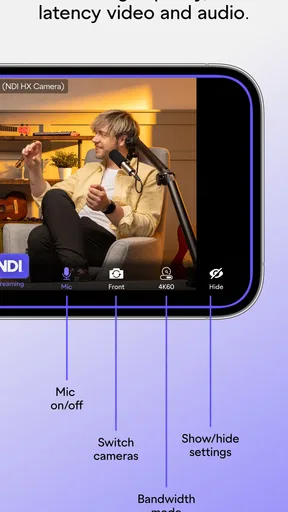
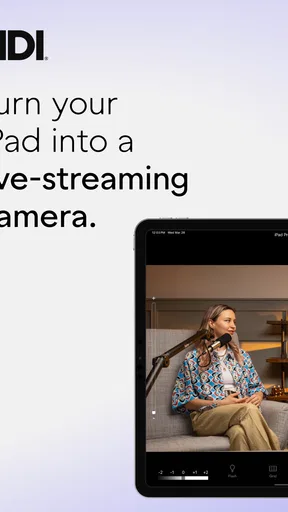
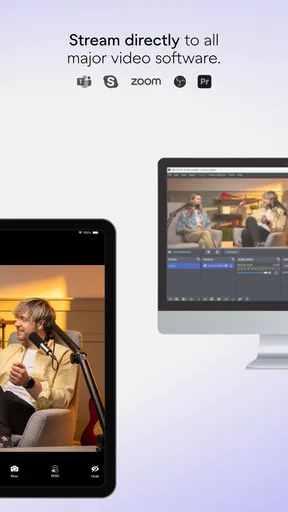
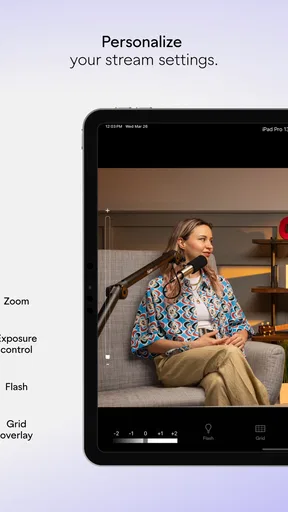
Our Review of NDI Camera: Easy Streaming
 Analysis by Appyee
I think NDI Camera: Easy Streaming makes the most sense when you already have a live-production workflow and want to bring a phone into it as a camera. That is a narrower job than ordinary mobile broadcasting, but it is also the app’s appeal: rather than treating the phone as a complete streaming studio, it positions it as a camera source for an IP-based setup. I would consider it for a small production, a class, or a community event where another device is handling the actual stream. If all I wanted was to go live directly from my phone, I would choose a more conventional social or streaming app instead.
Where a phone camera earns its place
A spare phone can be more useful as a second angle than as the main broadcast device. I can picture using one on a stable stand to show a close-up of a craft demonstration while the main camera stays on the presenter, or placing it across a room to capture audience questions. The practical benefit is not simply having another lens; it is being able to frame a shot where the production needs it without buying a dedicated camera first. That trade-off is most attractive for occasional streams and small teams that already have compatible production equipment.
For a simple everyday example, imagine a local club sharing a short talk from its meeting room. The phone could be positioned near the speaker, while a laptop or other production setup manages the broadcast. Before people arrive, I would check the framing, make sure the phone is steady, and verify that the receiving setup can see the camera feed. This kind of rehearsal matters more than tapping “go” at the last minute: a phone placed too low, pointed toward a bright window, or left where someone can bump it can make an otherwise capable setup look improvised.
Think about the whole connection, not just the app
The main planning question is whether the rest of your setup can work with an NDI camera source. NDI Camera is not a substitute for a complete streaming destination, and installing it alone does not create a finished broadcast. You need a receiving application or compatible production hardware as part of the workflow. If you have only a phone and want a one-device path from camera to audience, that extra dependency is a meaningful drawback, not a small technical footnote.
Network preparation is another useful habit. Since the phone is serving video over an IP workflow, I would test the intended connection in the actual room rather than assume that any available wireless network will behave well. A shared or busy network can introduce unpredictability, and the camera’s position may be limited by where the connection is dependable. For a planned event, a short test with the receiving system open can reveal discovery or connection problems before they become visible to viewers. I would also keep the phone powered and avoid relying on a last-minute setup when the stream matters.
There is a difference between having a phone available and having a phone ready to act as a production camera. A stable mount, a deliberate camera angle, and a way to keep the device from being handled during the broadcast all help. I would frame a little wider than the final shot needs, then check what the receiving software actually shows; a preview on the phone is not a replacement for checking the picture at the production end. These are small decisions, but they prevent the common frustration of discovering an awkward crop or a blocked view after the event has started.
How it differs from ordinary streaming apps
Most familiar live-streaming apps are built around broadcasting from the phone itself: choose a platform, point the camera, and send the stream to viewers. NDI Camera belongs to a different part of the communication toolkit. Its value is in feeding a camera picture into a broader production rather than replacing the platform, chat, or show controls. That distinction can make it more flexible for someone who wants a separate camera angle, but less convenient for a casual user who expects one app to handle everything.
Compared with using a webcam, a phone may be easier to position around a room and can make a useful temporary camera without adding another dedicated camera body. In return, you need to manage the phone as a separate device and account for the network path. A USB webcam is often the simpler choice for a fixed desk setup, especially when the stream is just one person speaking to a computer. A built-in phone broadcast feature is usually the better option for quick personal updates. I would choose this app when the production workflow, rather than the act of going live, is the reason to add a camera.
Who should try it, and who should pass
I would recommend it to streamers, educators, event organizers, and small production teams who understand why they need an additional camera source and already have a compatible way to receive it. It can also suit someone learning multi-camera production, provided they are willing to test the connection and build a workflow around the phone. The useful question is not “Can my phone stream?” but “Will this phone feed improve the production I already run?” If the answer is yes, the app has a clear role.
I would steer away from it if you want a polished, all-in-one broadcasting experience with no setup beyond opening an app. It is also a poor fit if you cannot confirm that your streaming software or hardware can use an NDI source, or if the event location has a network you cannot test. For a one-off talk, a regular webcam or direct mobile broadcast may be faster and less stressful. The right choice depends less on how serious you are about streaming and more on whether you need this particular bridge between phone camera and production system.
That setup requirement is worth weighing against the purchase. The app costs $19.99, so I would not buy it merely to experiment with a vague idea of streaming. I would first check the receiving side of my workflow, then decide whether a phone camera would solve a real production problem. Its Everyone age rating is broad, but the intended use is still fairly specialized: the value is clearest for people who can make use of an IP camera feed, not for every phone owner who occasionally records video.
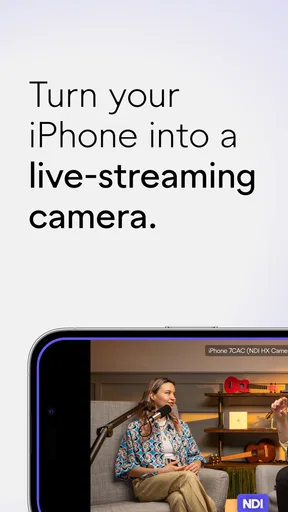
So, I’ve been diving into the world of live streaming lately, and let me tell you, it’s been a blast. One app that’s caught my attention is NDI Camera: Easy Streaming. If you’re into streaming and looking for something to up your game, this app might just be your new best friend. Let’s break down what makes it tick.
Getting Started with NDI Camera: Easy Streaming
First things first, installation is a breeze. You can find NDI Camera: Easy Streaming on both Android and iOS, so no worries about compatibility. Once you have it downloaded and installed, you’re ready to dive in. The interface is pretty user-friendly, which is a huge plus if you’re like me and don’t want to spend ages figuring things out.
Features That Stand Out
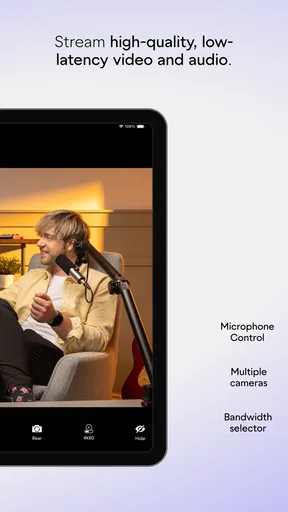
What really makes this app shine is its simplicity and efficiency. You can transform your smartphone into a high-quality camera for live streaming with just a few taps. It’s like having a mini production studio in your hand. Here are some features that I found particularly noteworthy:
- High-Quality Video Streaming: The app supports HD video, which is essential if you’re aiming for professional-looking streams.
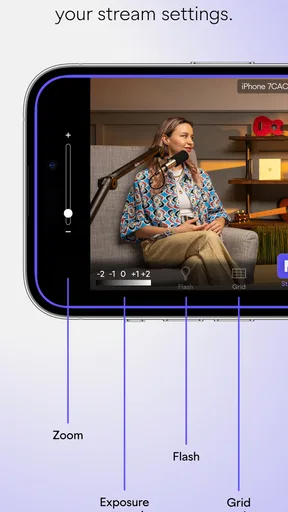
- Wireless Control: You can control your camera wirelessly, making it super convenient to adjust settings without disrupting your stream.
- Multi-Camera Support: This is a game changer. You can connect multiple devices to create a multi-camera setup, giving you different angles and perspectives.
- Low Latency: The app boasts low latency, which is crucial for live streaming to ensure your audio and video are in sync.
Using the App: My Experience
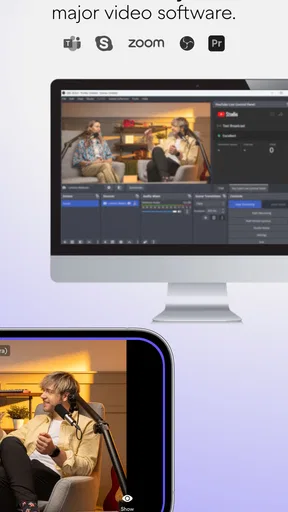
Once I got the hang of the features, using the app was a breeze. Setting up a stream was straightforward. You just need to connect your device to the same Wi-Fi network as your streaming software or hardware, and you’re good to go. I tested it with a few different setups, and it worked seamlessly each time.
One thing that impressed me was the video quality. Even in less-than-ideal lighting, the output was crisp and clear. The app does a great job of maintaining quality during the stream, which is often a concern with mobile streaming solutions.
Is It Worth It?
If you’re into streaming, whether professionally or just for fun, NDI Camera: Easy Streaming is definitely worth checking out. It’s versatile and packs a punch in terms of features. Plus, the fact that you can use it on multiple devices means you’re not tied down to a single piece of equipment.
For anyone who’s used to more complex setups, this app offers a refreshing simplicity without sacrificing functionality. And for those new to streaming, it’s a great starting point that won’t overwhelm you with complexity.
In conclusion, NDI Camera: Easy Streaming has earned a spot in my streaming toolkit. It’s reliable, easy to use, and delivers great quality. Whether you’re a seasoned pro or a newbie, give it a try and see how it can enhance your streaming experience.
What to check before committing to a setup
The questions I would settle before an event are practical ones: can the production software find the phone, can I place it where the shot needs to be, and does the picture remain usable once the whole workflow is running? These checks are more valuable than judging the app in isolation. A promising preview on the handset does not prove that the receiving system is ready, so I would open that system during rehearsal and confirm the camera source there.
I would also think about what happens when the phone is unattended. If the camera is meant to capture a speaker or a fixed demonstration, it should be positioned so nobody needs to hold or reposition it during the stream. A small change in angle can shift attention away from the subject, and a hand-operated camera can make a stable production feel shaky. For a moving shot, a person monitoring and carrying the phone may be necessary; for a static angle, a secure stand is the more sensible choice.
Lighting deserves a separate check. A phone can be convenient to move, but convenience does not fix a difficult scene. Before relying on it, I would look at the subject from the camera’s position, not from where I am standing, and make sure the strongest light is not behind the person being filmed. If the image looks poor in the production preview, changing the position or improving the room light is more dependable than assuming the app will correct the scene.
What the rating and price tell me
VI(Z)RT Inc. developed the app, which sits in the communication category and has an average rating of 3.3 from around 900 ratings. It has passed 10,000 installs, has 163 written reviews, and version 1.70 requires Android 6.0 or later. I read the rating as a reason to approach it with a test-first mindset, not as proof that it will fail or succeed in my particular setup. NDI workflows can depend on the receiving software and local network as much as on the camera app, so a short trial in the intended environment is the fairest way to judge whether it fits.
The $19.99 price makes the decision more deliberate than downloading a free utility for a casual experiment. I would buy it when I have a recurring use for a phone-based camera feed, or when adding a second angle would make a stream noticeably more useful. If I only need to broadcast from my phone once, a direct streaming app or an existing webcam is easier to justify. The current version is 1.70, but version numbers alone tell me little about how well it will suit a particular network or production setup; testing that exact combination matters more.
A sensible verdict for the right kind of streamer
After weighing its role and its setup demands, I see NDI Camera: Easy Streaming as a specialist tool with a straightforward purpose rather than a universal live-streaming solution. Its strongest case is a phone that can become a flexible camera angle inside a production workflow you already understand. Its weakest case is a buyer expecting the app itself to manage the whole journey from filming to audience, or someone who cannot verify compatibility before relying on it.
For my recommendation, I would put it on the shortlist for a small crew, a teacher recording a demonstration, or an organizer who wants another viewpoint without rebuilding the whole production around a new camera. I would skip it for a quick personal broadcast, a fixed desk stream where a webcam already does the job, or any important event where the network and receiving setup have not been tested. If you know why you need an NDI camera source and can rehearse the connection, the app may earn its place. If you do not, start with the simpler option and spend the extra effort only when a second camera angle solves a real problem.
Verdict
Strengths of NDI Camera: Easy Streaming
- Seamless integration with multiple platforms.
- High-quality video streaming capabilities.
- User-friendly interface for easy setup.
- Low latency for real-time broadcasting.
- Supports both Wi-Fi and Ethernet connections.
Limitations of NDI Camera: Easy Streaming
- Limited features in free version.
- Requires stable internet for best performance.
- May drain battery quickly on mobile devices.
- Occasional compatibility issues on older devices.
- Limited customer support options available.
Similar Picks in This Category
View All
Google Messages
Google LLC4.6

Gmail
Google LLC4.1

Google Meet
Google LLC4.4

Google Chrome
Google LLC4.1

WhatsApp Messenger
WhatsApp LLC4.6

Carrier Services
Google LLC4.2
Frequently Asked Questions
What is NDI Camera: Easy Streaming used for?
NDI Camera: Easy Streaming is designed to transform your smartphone into a high-quality webcam that can be used for live streaming and video conferencing. It seamlessly integrates with broadcasting software via the NDI (Network Device Interface) protocol, providing a flexible and cost-effective solution for content creators and professionals.
Is NDI Camera compatible with all streaming platforms?
NDI Camera is compatible with most streaming platforms that support NDI protocol, such as OBS Studio, vMix, and Wirecast. This ensures that you can easily integrate it into your existing setup, whether you're streaming on YouTube, Twitch, or conducting a Zoom meeting. Always check the platform's specifications for NDI support.
Does NDI Camera: Easy Streaming require a strong internet connection?
Yes, a stable and strong internet connection is recommended for optimal performance. Since the app streams high-quality video in real-time, fluctuations in your network can affect video quality and latency. It’s advisable to use a Wi-Fi connection for the best results.
Is the app user-friendly for beginners?
NDI Camera: Easy Streaming is designed with a user-friendly interface, making it accessible for beginners. It provides clear instructions and intuitive controls, allowing users to easily set up and start streaming with minimal technical knowledge. However, some familiarity with streaming concepts can be helpful.
Are there any costs associated with using NDI Camera?
NDI Camera might offer a free version with basic features, but advanced functionalities could require a purchase or subscription. It's important to check the app's pricing model on the app store for any in-app purchases or subscription fees, ensuring it fits within your budget.
